
Description
Adobe Acrobat Pro DC
The complete PDF solution for working with your most important documents.
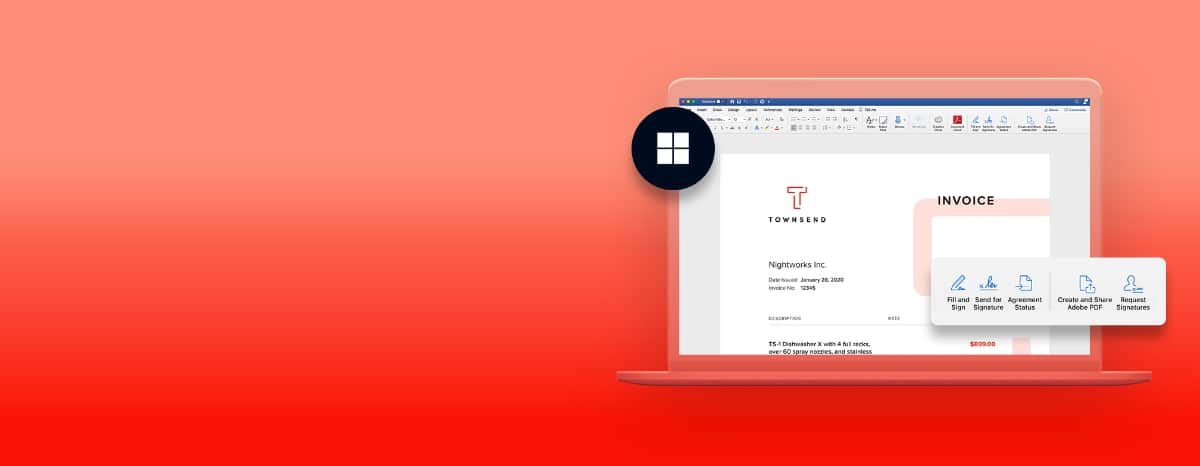
Adobe Acrobat Pro PDF editor: stay productive and connected.
Always enjoy the latest technology from the most collaborative, work-from-anywhere-anytime PDF tool available on any device.

Acrobat Professional: keep projects moving from anywhere.
No matter where you are or what device you’re on, keep the collaboration going. With Acrobat you can easily share PDFs to be viewed, reviewed, and signed, and even track their progress, from any device and any location.
Adobe Acrobat Professional makes document reviews seamless.
Now, sharing PDFs and gathering comments is as simple as sending an email, but with far more control, full tracking, and no messy attachments. Recipients get an email with a link to your PDF. They just click to open, view, and comment.


Make your mobile device a serious PDF tool.
Always free, and now more powerful than ever, the Acrobat Reader mobile app is packed with the tools you need to view, annotate, sign, and share PDFs anywhere. And with Acrobat Pro, you can do even more. Edit, create, export, organize, and combine files right from your tablet or mobile phone.
Leave the pen behind and sign electronically.

Adobe Acrobat Pro DC Features:
- An amazing application that helps you view, create, edit, manage, convert, extract, protect and sign PDF documents.
- Provides innovative tools and features designed for viewing, editing, and managing PDF files.
- Efficient PDF editing application that offers advanced tools giving maximum flexibility and ease of use.
- Includes a built-in PDF viewer allowing the users to view their PDF files instantly.
- Allows users to create PDF documents and edit them from any device and in any situation.
- Comes integrated with Document Cloud services to keep you stay connected to recent files across all your devices.
- Lets you create, export, edit and track PDF files from anywhere.
- Offers a user-friendly interface that is very simple and reliable for all customers.
- Provides a modern, tabbed viewing layout that allows you to view multiple documents from within the same window.
- Includes all the necessary tools you need to do everything related to PDF documents.
- Offers a complete and reliable solution to perform various PDF document management tasks without exception.
- Deliver more secure, high-quality Adobe PDF documents for easy, more secure distribution, collaboration, and data collection.
- Lets you easily build any type of document according to your choice.
- Gives you the possibility to create PDFs from scanned documents or directly turn paper text into editable documents.
- Ability to extract text from images, compare and annotate PDFs, protect and sign PDFs.
- Ability to export PDF to any format like Microsoft Word, Excel, PowerPoint, HTML, Text, and more.
- Allows you to protect PDF files by adding passwords, and more.
- Lets you insert comments, annotations, signatures, or bookmarks to each PDF file.
| Top features | Acrobat Pro | Acrobat Standard |
| Edit text and images, reorder and delete pages in a PDF |  | |
| Convert PDFs and export to Word, Excel, and PowerPoint | | |
| Easily create, fill, sign and send forms | | |
| Sign documents, request signatures and track responses in real time | | |
| Add security and password-protect PDF files | | |
| Convert to PDFs from almost any file format including creative and technical files | | |
| Redact to permanently remove sensitive visible information | | |
| Compare two versions of a PDF to review all differences | | |
| Works on Windows and Mac | | Windows only |
| Add a logo to brand your agreements and upload existing PDF forms to instantly create web forms | |
Acrobat Pro cost
Adobe sells Acrobat Pro as a monthly or yearly plan, and the Adobe Acrobat price depends on the plan and region. Here the Adobe Acrobat Pro price is one payment for the 2026 version, so the Adobe Acrobat Professional price does not renew.
Adobe Acrobat Pro for Windows
Choose Windows to install Adobe Acrobat Professional DC on Windows 10 or 11 (64-bit), or choose Mac for Adobe Acrobat Pro Mac on Apple silicon and Intel Macs. Both versions edit, convert, sign and protect the same PDF files.
System Requirements
- Intel® or AMD processor; 1.5GHz or faster processor
- Windows 11 (64 bit), Windows 10 (64 bit) version 1809 or later, Windows 8.1 (64 bit), Windows 7 (64 bit), Windows Server 2016 (64 bit), or Windows Server 2019 (64 bit)
- 2GB of RAM
- 4.5GB of available hard-disk space.
- 1024×768 screen resolution
- Video hardware acceleration (optional)
- Intel processor; M1 Apple Silicon processor
- macOS v10.15, macOS v11*, macOS v12, macOS v13, or macOS v14 (Sonoma)
- 2 GB of RAM
- 2.75GB of available hard-disk space
- 1024×768 screen resolution
Vedrom is great! 5 stars for both product and service!
I encountered installation problems on a brand-new PC, but the staff stayed on beyond closing time and resolved the problem. I couldn't be more pleased with the service.
Wonderful experience purchasing from Vedrom. Very accommodating and supportive. Highly recommend them.
Works well, and the chat support is amazing.